How to Fix a Slow Phone: Make Your Phone Faster Without Buying a New One
Is your phone moving at the speed of a snail? Apps freezing, screens lagging, everything loading painfully slow?
If you’ve been asking, “Why is my phone so slow?”, you’re definitely not alone.
Here’s the truth: you don’t need a new device or a tech degree to fix it.
This guide covers how to fix a slow phone with easy, beginner-friendly tips that actually work.
Why Is My Phone So Slow?
Your phone slowing down over time is totally normal.
But it’s also fixable.
Here are the most common reasons your phone is lagging:
- Not enough storage space
- Too many apps running in the background
- Cache and junk buildup
- Outdated software
- Battery decline
- Overheating issues
Understanding the root causes helps you choose the right solution—without any guesswork.
Phone Running Slow? Here’s a Quick Fix Table
| Common Problem | Reason | Quick Fix |
|---|---|---|
| Phone memory full | Too many files and apps | Delete unused apps, transfer photos to cloud |
| Slow mobile phone performance | Background apps hogging RAM | Close background apps manually or with a tool |
| Too much cache | Temporary data slowing down performance | Clear cache for each app |
| Outdated OS and apps | New apps struggle on old systems | Update your phone and apps |
| Battery health issues | Old batteries reduce speed | Use battery saver, check battery performance |
| Device overheating | Heat causes performance drops | Avoid gaming while charging, remove case |
How to Fix Slow Phone – Step-by-Step
Here’s how to speed up your phone using simple methods anyone can follow, especially if you’re not tech-savvy.
1. Clean Up Phone Storage
If your phone is nearly full, it will naturally slow down.
Go to your storage settings and remove:
- Unused apps
- Old downloads
- Large videos
- Photos you’ve already backed up
Tip: Move media files to Google Drive or iCloud. It keeps things organized and your phone fast.
2. Clear the Cache
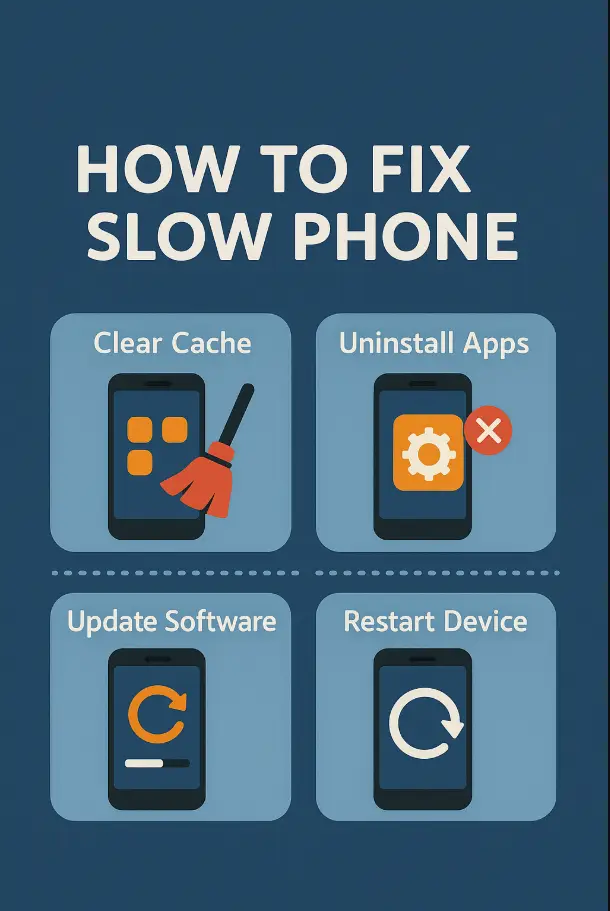
One of the most overlooked solutions to fix lagging phone problems is clearing cache.
Apps like Instagram, Chrome, and Facebook store temporary files that build up over time.
To fix it:
- Go to Settings > Apps > [App Name] > Storage > Clear Cache
Doing this often gives your phone a noticeable performance boost.
3. Close Background Apps
Many people don’t realize that apps keep running even after you switch away.
That eats up RAM and slows things down.
Swipe up or tap “Recent Apps” and close everything you’re not using.
You can also use a phone performance booster app for quicker cleanup.
4. Update Your Phone & Apps
An outdated phone can’t keep up with the demands of new apps.
- Go to Settings > System > Software Update
- Update your apps through the Play Store or App Store
This fixes bugs and improves stability.
5. Stop Auto-Sync and Background Data
To optimize phone speed, turn off background syncing for apps you don’t need running all the time.
- Go to Settings > Accounts > Auto-sync
- Also restrict background data in Data Usage settings
This reduces load and makes your phone more responsive.
6. Use Lite Versions of Apps
Apps like Facebook and Messenger are heavy on older phones.
Switch to:
- Facebook Lite
- Messenger Lite
- YouTube Go
These apps load faster and save memory—perfect for when your phone is running slow.
7. Restart Your Phone Weekly
It’s simple but powerful.
Restarting clears temporary data and can fix slow smartphone issues instantly.
Just restart once a week—it helps more than you think.
8. Avoid Overheating
When your phone gets too hot, performance drops quickly.
To prevent this:
- Don’t use while charging
- Avoid heavy apps in hot weather
- Take off your phone case when gaming
A cool phone = a fast phone.
What Not to Do When Trying to Speed Up Your Phone?
- Don’t delete system files
- Avoid unverified phone cleanup apps
- Don’t factory reset without backups
- Avoid using live wallpapers or too many widgets
These things often cause more harm than good.
Final Thoughts: You Can Fix Your Slow Phone Easily
If you’re tired of asking “How to make my phone faster?” or “How to fix slow phone without resetting?”, now you have a clear path.
These tips are safe, simple, and don’t require any expert skills. From clearing cache to updating apps and switching to Lite versions, every small action helps.
Whether you’re dealing with an Android phone slow solution, trying to fix slow phone performance, or looking for a quick fix for phone lag—this guide is your answer.
Take 5 minutes today.
Clear cache, remove unused apps, and restart your phone.
That tiny effort could bring your phone back to life.